

A vulnerability disclosure policy you can publish today.
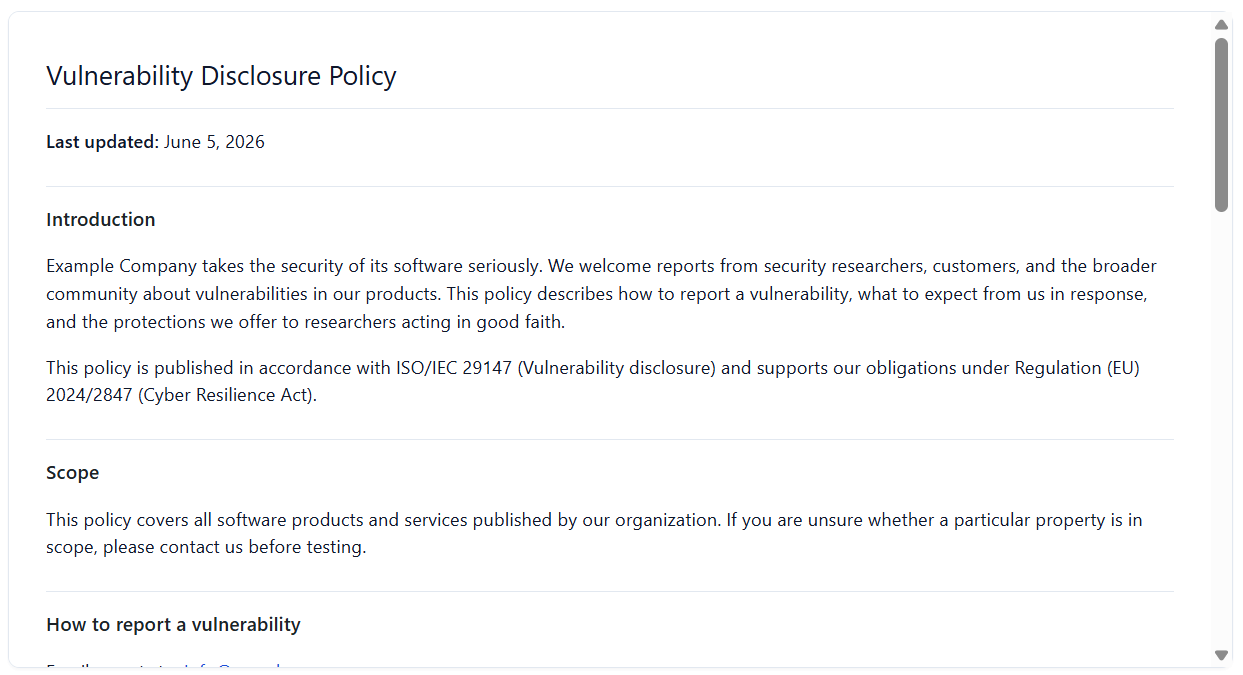
What it gives you
The policy, the page, and the inbox
ISO/IEC 29147 structure
Reporting channel, acknowledgement and response targets, safe-harbor wording, in-scope and out-of-scope guidance — the sections a coordinated disclosure policy is expected to carry.
Publish or export
Drop it on a WordPress page with the [mmcra_vdp] shortcode, or export standalone HTML to host wherever your security contact lives.
Built-in intake form
The shortcode can render a report form so researchers submit directly. Submissions are stored and emailed to your security address.
Spam-resistant
The form is rate-limited per IP and carries a honeypot field, so the channel stays usable without a third-party captcha.
Optional PGP key
Attach an ASCII-armored public key so reporters can encrypt sensitive details. Toggle it per placement with pgp="yes".
Submissions admin page
Browse, triage, and bulk-action everything that comes in from the form, all inside wp-admin. Included in the free plugin.
The disclosure policy is free, on purpose
Article 13 is the obligation that lands first, and it’s the one a researcher can check from outside your site. So the VDP editor, the [mmcra_vdp] shortcode, the intake form, and the submissions admin page all ship in the free plugin — for the one plugin it covers.
Pro extends disclosure across every plugin you ship and threads each report into the Incident Center when something turns out to be real.
Free covers 1 plugin. Pro Solo / Studio / Unlimited cover 1, 5, and unlimited plugins.
INCIDENT #4 — actively exploited
opened   2026-06-04 14:28 UTC
  early warning   due in 21h 32m   [draft ready]
  notification    due in 69h 32m   [template]
  final report    pending
status: drafting early warning to ENISABuilt for the worst day, not the launch day
The Incident Center is a Pro feature because it earns its keep exactly once — when something is on fire and a regulator clock is running. Having the deadlines tracked and the report drafts ready turns a scramble into a checklist. That’s the moment the toolkit pays for itself.
It works hand in hand with weekly monitoring: the advisory that wakes you up arrives with its context already attached.
Article 14 reporting (actively exploited)
  early warning   →  within 24 hours
  notification    →  within 72 hours
  final report    →  after remediation
recipients: ENISA + affected customers
Be ready before the clock starts.
Set up the Incident Center now, so the day you need it you’re editing a draft instead of inventing one.
A running clock and a head start on every report
Deadline tracking
Log an incident and the center counts down the CRA reporting windows, so you can see at a glance what’s due and when.
Report templates
Markdown templates for the early-warning, notification, and final reports, structured so you fill in specifics instead of inventing a format under pressure.
Fed by monitoring
An advisory surfaced by weekly OSV monitoring can become a tracked incident, carrying its context across instead of being re-keyed.
Customer notifications
The CRA expects you to inform affected users too. Templates cover the customer-facing message alongside the regulator filing.
Webhooks
Fire a webhook when an incident is opened or updated, so your own systems — Slack, a status page, a ticket queue — stay in the loop. Includes a test ping.
Logged for the file
Incident records and their reports are recorded in the audit log, building the evidence trail you keep under Article 31.
Why incident reporting is the sharp edge of the CRA
The Cyber Resilience Act requires manufacturers to notify ENISA of an actively exploited vulnerability in a product with digital elements, starting with an early warning within 24 hours of becoming aware, followed by a fuller notification and a final report. Affected users have to be informed as well. These windows are short, and the obligation lands whether or not you were ready for it.
The Incident Center exists so the deadlines and the paperwork aren’t the thing standing between you and a timely report.
This is product tooling, not legal advice. Confirm the exact deadlines and recipients for your situation with qualified counsel.
Incident reporting questions
Who do I report a CRA incident to?
An actively exploited vulnerability is reported to ENISA under the CRA’s coordinated process, and affected customers must be informed too. The Incident Center provides templates for both.
How fast do I have to report?
The early warning is due within a short window of becoming aware, followed by a fuller notification and a final report. The center counts down each deadline from when you open the incident. Confirm the exact timing for your case with counsel.
Does it file the report for me?
No. It tracks the deadlines and drafts the reports so you can review and submit them through the official channel. You stay in control of what goes out.
Is the Incident Center in the free plugin?
It’s a Pro feature, alongside weekly monitoring and the Compliance Bundle. The free plugin covers the launch-day artifacts; Pro covers the ongoing controls.