

MMCRA Toolkit · Declaration of Conformity

A signed Declaration of Conformity, per plugin.

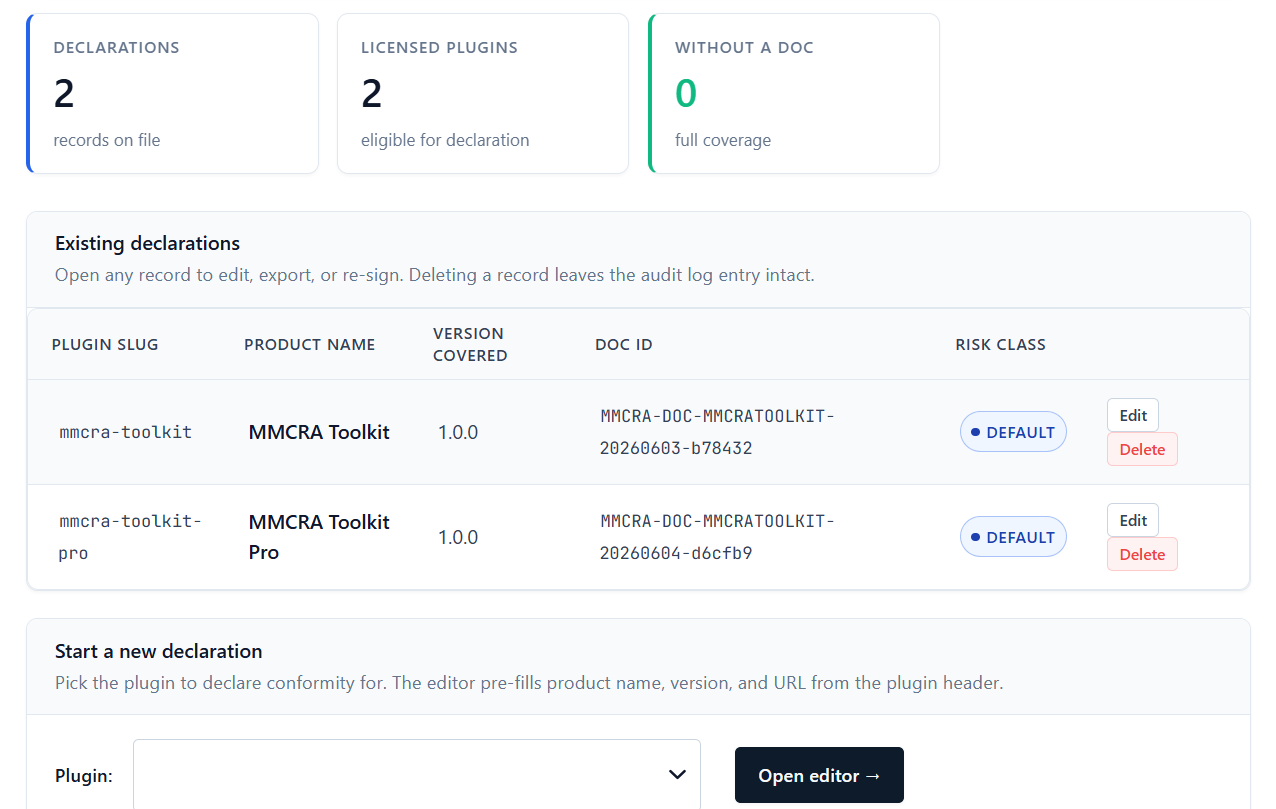
The CRA wants one EU Declaration of Conformity for each product — not one for your company. MMCRA Toolkit fills an Annex V template from your settings: manufacturer identity, EU representative, applied standards, and the conformity assessment route you chose. Export the HTML, print to PDF, sign, and file.
MMCRA: Declaration of Conformity

What it covers

Every field Annex V expects, prefilled

Per-product, not per-company

One declaration for each plugin you ship, identified by name and version — exactly how the CRA expects conformity to be declared.

Manufacturer & EU rep

Pulls your manufacturer identity and optional EU authorised representative from Settings, covering the Article 17 representative requirement for non-EU authors.

Conformity route

Record the assessment route you followed — self-assessment, type examination, or full quality assurance — with the applicable standards listed.

Version-aware

The editor flags when a declaration covers an older version than the one installed, with a one-click control to bring it up to the current release before you re-export.

Export to HTML

Generate clean HTML, print to PDF from the browser for the signed copy, and keep the lean output that hashes to a stable value in your audit log.

Draft vs done

A declaration is only complete once it’s exported. The dashboard distinguishes a saved draft from an exported, file-ready document so nothing slips through.

Free vs Pro

One declaration free. Your catalogue on Pro.

The free plugin writes and exports a Declaration of Conformity for the single plugin it covers. Pro lifts the HTML-export cap so every plugin in your catalogue gets its own signed declaration, and folds each one into the per-plugin Compliance Bundle.

Free covers 1 plugin. Pro Solo / Studio / Unlimited cover 1, 5, and unlimited plugins.

# Free
1 Declaration of Conformity (HTML export)

# Pro
Declaration for every covered plugin
Bundled into the regulator-ready ZIP
Re-export on every version bump
Regulation

Where the declaration fits in the CRA

Annex V of the Cyber Resilience Act sets out the content of the EU Declaration of Conformity: the product, the manufacturer, a statement that the product meets the essential requirements, the standards applied, and a signature. By drawing it up and signing it, you take responsibility for the product’s conformity. It belongs in the technical file you keep under Article 31 and produce on request.

MMCRA Toolkit keeps the declaration aligned with the version you actually ship and stores it next to the SBOM and VDP that back it up.

Sign once. File with confidence.

Skip the Annex V boilerplate. Fill your details once and export a clean declaration for every product you ship.

FAQs

Declaration of Conformity questions

Do I need one declaration per plugin or per company?

Per plugin. The CRA declares conformity at the product level, so each plugin you place on the EU market needs its own signed Declaration of Conformity identifying that product and version.

How do I produce a signed PDF?

Export the declaration to HTML and print to PDF from your browser, then sign it. Keeping export as HTML keeps the plugin lean and the audit-log hash stable.

I’m not in the EU. Does this cover the representative requirement?

The template includes the EU authorised representative section so you can record one under Article 17. MMCRA produces the document; appointing a representative where required is still your responsibility.

Is this legal advice?

No. The toolkit produces the Annex V artifact. Final responsibility for conformity and for choosing the right assessment route rests with you, and EU-based authors should consult qualified counsel.