Know about a vulnerable dependency before your customers do.
How monitoring works
Continuous, quiet, and auditable
Checks against OSV.dev
Every Composer and npm dependency in your SBOMs is queried against OSV.dev, returning advisory IDs, severity, affected version ranges, and summaries.
Weekly cron
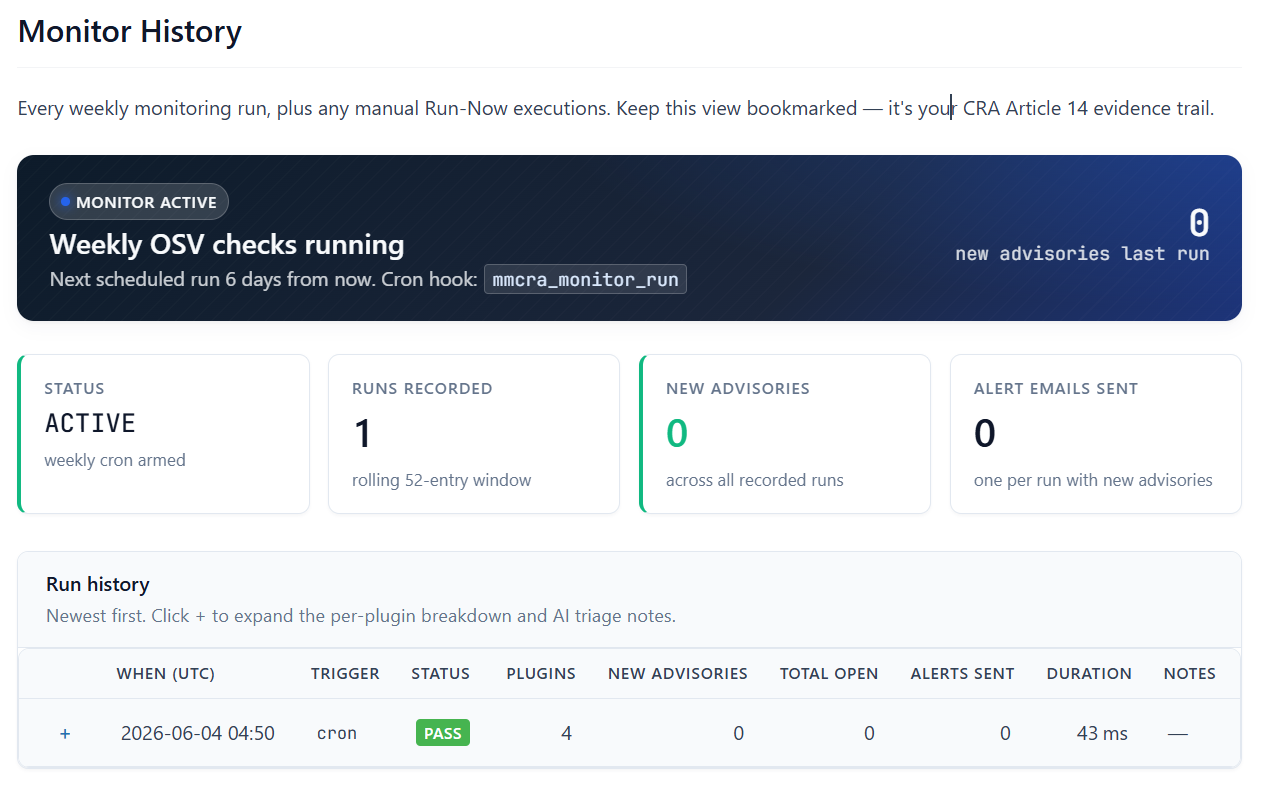
Pro runs the check on a weekly WordPress cron and diffs the results against the previous baseline, so you only hear about what’s new.
Email alerts
When a new advisory affects a dependency you ship, Pro emails you — no dashboard babysitting required.
AI-assisted triage
Pro ranks new advisories by relevance and drafts a starting point for your assessment, so you can decide what actually needs a release.
Quiet weeks still count
A clean week is logged too, so your audit trail shows the monitoring cadence ran — evidence that you were watching, not just that you found something.
Self-hosted
OSV.dev lookups are the only outbound calls. No agent, no SaaS dashboard, no dependency data leaving your site beyond the package coordinates a lookup needs.
On-demand free. Automated on Pro.
The free plugin lets you run an OSV check whenever you want. Pro turns that into a standing control: a weekly cron, a pass/fail history you can show an auditor, email alerts on new advisories, and AI triage to rank them. That’s the difference between checking once and continuously handling vulnerabilities the way Article 14 expects.
Monitoring history and alerts are Pro features.
# Free
on-demand OSV check, any time
# Pro
weekly cron + baseline diff
email alerts on new advisories
AI triage + monitor history timeline Article 14 is a process, not a document
Article 14 of the Cyber Resilience Act obliges manufacturers to handle vulnerabilities throughout a product’s support period: identify and document them, address them without undue delay, and ship security updates. An SBOM tells you what you depend on; monitoring tells you when one of those dependencies turns dangerous. You need both to show you’re meeting the ongoing duty, not just the launch-day paperwork.
MMCRA Toolkit keeps the monitoring running and the evidence logged, and hands off to the Incident Center when an advisory crosses into reportable territory.
Set the cron. Stop refreshing advisories.
Let the weekly check watch your dependencies and email you only when something changes.
Declaration of Conformity questions
Do I need one declaration per plugin or per company?
Per plugin. The CRA declares conformity at the product level, so each plugin you place on the EU market needs its own signed Declaration of Conformity identifying that product and version.
How do I produce a signed PDF?
Export the declaration to HTML and print to PDF from your browser, then sign it. Keeping export as HTML keeps the plugin lean and the audit-log hash stable.
I’m not in the EU. Does this cover the representative requirement?
The template includes the EU authorised representative section so you can record one under Article 17. MMCRA produces the document; appointing a representative where required is still your responsibility.
Is this legal advice?
No. The toolkit produces the Annex V artifact. Final responsibility for conformity and for choosing the right assessment route rests with you, and EU-based authors should consult qualified counsel.