

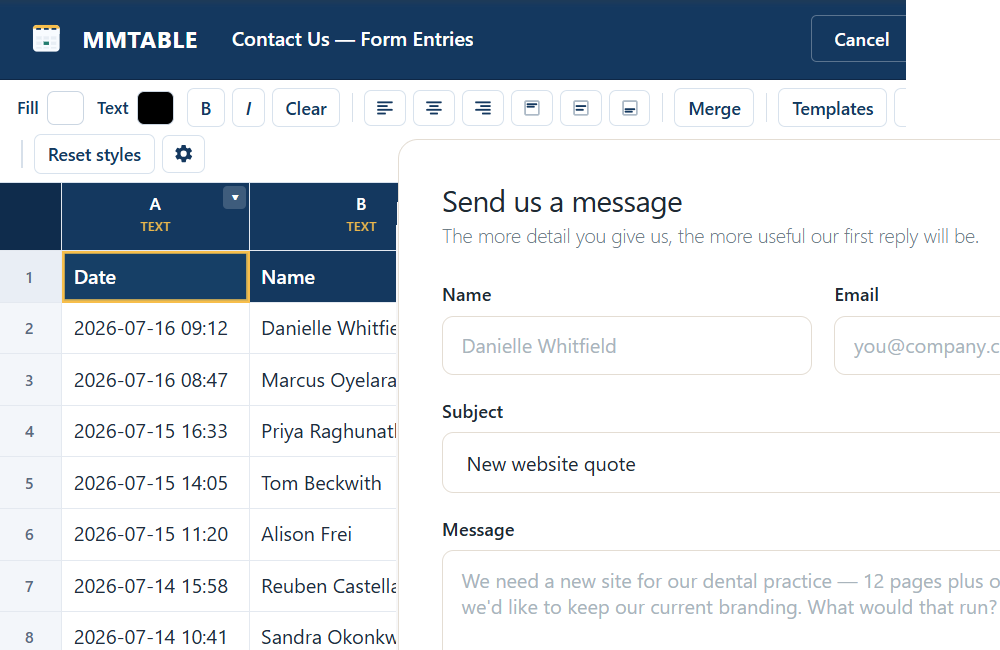
Every form entry, saved as a row.
When someone fills in a form on your site, MMTable adds their answers as a new row in a table you choose. No spreadsheets to export, no copy-paste — the responses just show up, ready to sort, filter, and share.
What it does for you
Answers land in the right columns
Each form field is matched to the column with the same heading. A field called “Email” fills your “Email” column — no mapping screens to wrestle with.
Missing a column? It makes one
Turn on one checkbox and MMTable adds a column automatically when a form has a field your table doesn't cover yet. Nothing gets dropped.
Live, running record
Submissions append in real time, so your table is always the up-to-date list of who said what — signups, leads, RSVPs, requests.
Then do more with it
Once entries are in a table you can filter and search them, chart them, publish them as cards, or push them onward — all the rest of MMTable applies.
A breadcrumb when you need it
A small “Recent form activity” log shows the last entries the plugin saw, so you can confirm a form is wired up correctly at a glance.
No developer required
Tick the form you want, save, done. The only typing is on the Elementor path, and even that is just adding an action and picking your table.
Works with the forms you already use
Gravity Forms, WPForms, and Fluent Forms show up as a simple checklist — tick the form whose entries should land in this table. Elementor Pro gets its own one-click action.
Set it up in two steps
- Open your table and find the Incoming data box.
- Tick your form — or, in Elementor, add the Save to MMTable action and pick the table.
Build the table free. Capturing form entries is part of MMTable Pro.
Good for…
Contact & lead logs
Keep every inquiry in one searchable table instead of digging through your inbox.
Event RSVPs & registrations
Watch the guest list build itself, then sort by ticket type or date.
Quote & booking requests
Capture the details you need to follow up, ready to filter by service or status.
Turn your forms into a living table
From $69/year for a single site. 30-day money-back, cancel any time.